


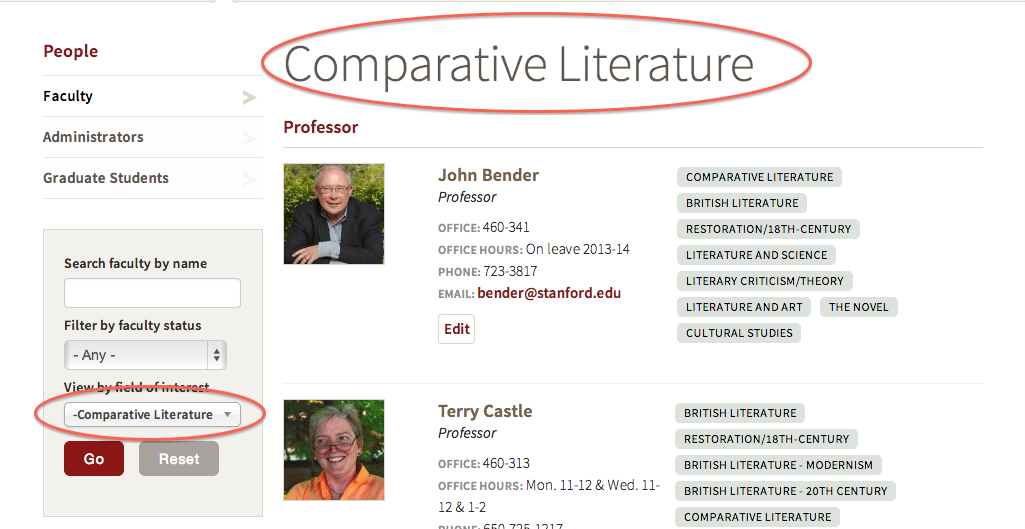
Suppose you're using taxomomy terms in exposed filters, and you want the resulting page to display one of the the terms as a title. Taxonomy term pages will give this to you very easily, but sometimes the taxonomy term page is not the right solution. Here's how you can display the taxonomy term as the title of your views page.
Some functionality you’ll need
Get the view object:
$view = views_get_current_view();Get the value from the exposed filter:
$tid = $view->exposed_input['field_my_tax_tid']; In this case, ‘field_my_tax_tid’ is the machine name for the exposed filter field. You can find this field name in the URL after executing the exposed filter.
Get the term object and the human-readable name:
$term_obj = taxonomy_term_load($tid);
$title = $term_obj->name;
Check that the term ID is set and valid
if (isset ($view->exposed_input['field_my_tax_tid'])) {
 $tid = $view->exposed_input['field_my_tax_id'];
 if (is_numeric($tid))
Set up the values to return
     $term = $tid;
     $term_obj = taxonomy_term_load($tid);
     $title = $term_obj->name;
Set the view title object
$argument->validated_title = $title;Return the orginal term
return($term); If this term had not been set by the exposed filter the term should return all.
Code snippet example
$view = views_get_current_view();
$term = 'all';
$title = 'Default Title';
if (isset ($view->exposed_input['field_my_tax_tid'])) {
 $tid = $view->exposed_input['field_my_tax_tid'];
 if (is_numeric($tid)){
     $term = $tid;
     $term_obj = taxonomy_term_load($tid);
     $title = $term_obj->name;
 }
}
$argument->validated_title = $title;
return($term);
Putting your code into the view
For your view, you'll need to adjust this code. Start by replacing Default Title with the title from your view, and field_my_tax_tid with the exposed filter field for your view.
-
From with the Views UI under Conditional Filters add Content: Has taxonomy term ID.
-
In the form under the section WHEN THE FILTER VALUE IS NOT IN THE URL select Provide default value.
-
In the dropdown, select PHP Code. (Note: you must be logged in as user 1 for this option to be available.)
-
Copy and paste your code snippet into the text block.
-
Select Override title and place a %1 in the text field.

Save your view, or use Update preview to check out your result.
Troubleshooting
If you have the Devel module enabled, you can use the dpm() function to get other information such as field and variable names.
If "PHP Code" is not appearing as a selection on the view Contextual Filter Configuration form, enable the "PHP Filter" module.




