Skip to content Skip to navigation

Site Retired

As of May, 2022, this website is no longer updated and has been replaced with a static copy.

John Bickar's Blog Posts

Photo of John Bickar Posted by John Bickar on Thursday, April 4, 2013 - 4:59pm

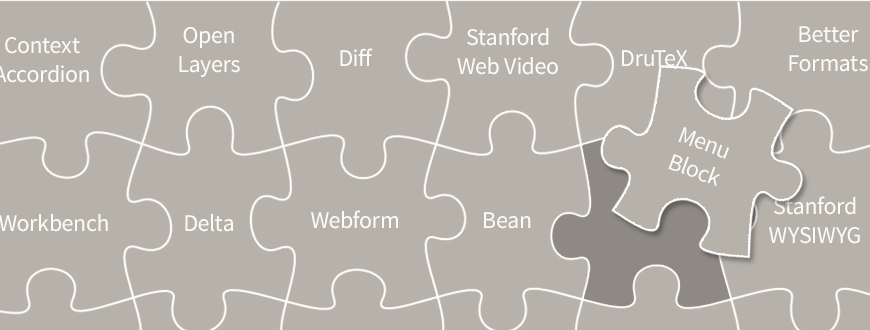
We are currently in the testing phase of adding the following modules to the list of modules available for all users on Stanford Sites.

Assuming testing goes well, we will have them deployed to Stanford Sites as soon as possible.

You can suggest additional modules by submitting a HelpSU request.

Posted in:
Tags:
Photo of John Bickar Posted by John Bickar on Friday, February 15, 2013 - 3:36pm

Nicole Ardoin, Assistant Professor in the Graduate School of Education and the Woods Institute for the Environment, hosts her personal website on Stanford Sites.

It boasts a wide array of content, including her research, publications, courses taught, students and fellows, publications, and curriculum vitae.

Excellent work!

Screenshot of Nicole Ardoin's website

Sites Superstars is an ongoing series where we highlight creative, innovative, and just plain excellent websites using the Stanford Sites platform. Have a superstar you'd like to see featured? Contact us.
Posted in:
Photo of John Bickar Posted by John Bickar on Monday, January 21, 2013 - 1:51pm

Mike Widner, Academic Technology Specialist in the Division of Literatures, Cultures, and Languages, hosts his personal blog on Stanford Sites. He has integrated a wide variety of interesting technologies, including the d3.js library, a Twitter feed, and an RSS feed from zotero.org.

Nice job, Mike!

screenshot of Mike Widner's website

Sites Superstars is an ongoing series where we highlight creative, innovative, and just plain excellent websites using the Stanford Sites platform. Have a superstar you'd like to see featured? Contact us.
Posted in:
Photo of John Bickar Posted by John Bickar on Friday, January 11, 2013 - 12:36pm

As a centrally-supported service, Stanford Sites is designed to have a robust yet limited set of modules available to site owners. This ensures the service can be tested and upgraded as needed. Though Stanford Sites does not accommodate the direct installation of modules by site owners, we welcome suggestions for module additions or changes; our goal is to ensure the service grows and adapts to the needs of our campus community.

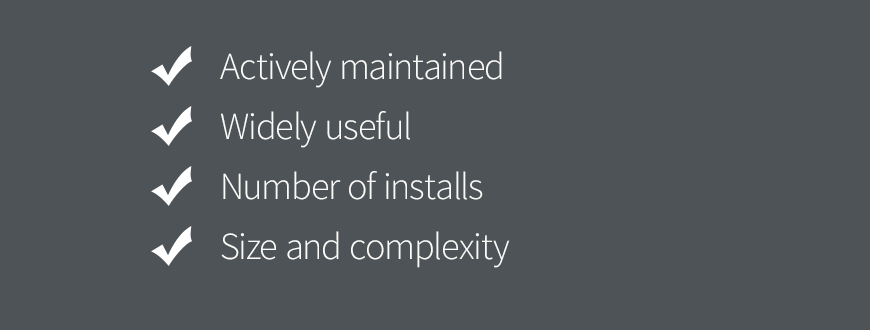
When requests for new modules come in, either internal or external, we use the following criteria to evaluate those requests:

  • Actively maintained
  • Provides functionality that is not available otherwise
  • Widely useful
  • Does not conflict with other modules in the stack
  • Number of installs
  • Standing of lead maintainer in the Drupal world (core maintainer? etc.)
  • No major unresolved, or "won't fix" issues in the issue queue
  • Appropriately documented (so we can point to it in our user guide and training)
  • Size and complexity of module

We use these guidelines as a matrix rather than a checklist; if a module has a low install base but is relatively simple and provides critical functionality (e.g., backup_migrate_files), it may get added, but if a module duplicates existing functionality, conflicts with other modules, yet is written by a rockstar Drupal developer (e.g., Panels), it may not get added.

Questions and comments are welcome, and if you have a module to recommend for our consideration, please submit a HelpSU request.

Photo of John Bickar Posted by John Bickar on Wednesday, January 9, 2013 - 3:14pm

In November, 2012, SWS released a stable beta version of the Stanford Events Importer for Drupal 7. The Stanford Events Importer integrates with the XML feeds from events.stanford.edu and allows you to "automagically" import events into your Drupal site.

The importer has undergone several incarnations, starting with just a set of instructions for Drupal 6 and the now-deprecated FeedAPI module, then moving to a full-fledged Drupal 6 module, and now, the latest 7.x-2.x version.

This latest version offers a much simpler user interface for creating new importer feeds. Simply add a new node of the type "Stanford Event Importer," select the category or organization that you want to use to import events, and save the node. Stanford Event nodes will be created automatically, and they will update every 24 hours.

Instructions are available within your site at admin/help/stanford_events_importer.

Screenshot of the node add screen highlighting the 'film' category

Screenshot of the node add screen highlighting the 'Department of Physics' organization

What's Under the Hood

Picture of Matthew McConaughey from the movie Dazed and Confused

The Stanford Events Importer module relies on the Feeds module to periodically poll the XML feed created at events.stanford.edu/xml/drupal/v2.php. Previous versions of the module required end-users to know the category ID or organization ID of the desired category or organization, then pass that ID number as a parameter in the XML feed URL.

With the new 7.x-2.x branch, on install, two database tables get created, one for categories and one for organizations. The module will poll the category list at http://events.stanford.edu/xml/drupal/v2.php?category-list and the organization list at http://events.stanford.edu/xml/drupal/v2.php?organization-list to populate those database tables (on install). It also will do this with an update hook when upgrading from 7.x-1.x to 7.x-2.x.

Finally, it also checks for updates to the category/organization lists on cron runs, and adds new categories/organizations.

When a user goes to add a new importer, the module hides the Feed URL field and uses the DB tables to populate dropdown lists. Then it "automagically" constructs the feed URL with the proper category or organization.

"Featured" and "Today's" events are special cases, and are added to the dropdown for category.

For a deeper look at the code that powers this module, feel free to browse the project on github.

Posted in:
Photo of John Bickar Posted by John Bickar on Friday, December 14, 2012 - 11:42am

In December, 2011, we released the Stanford Courses module for Drupal 6. This is a Features-based module that polls the XML feed at ExploreCourses and creates Course and Course Section nodes on a Drupal website.

Taking PWR 1AT: Writing & Rhetoric 1: A Mountain for Itself: The Rhetoric of Wilderness as our example, the Drupal Course node contains information such as:

  • Course title: Writing & Rhetoric 1: A Mountain for Itself: The Rhetoric of Wilderness
  • Number of credits: 4
  • General Education Requirements: Writing1
  • etc.

The Course Section nodes are the individual offerings of that course, including such information as:

  • Instructor: Todhunter, A
  • Dates and times: Tues/Thurs 1:15 - 3:05PM
  • Terms offered: Autumn, Winter
  • etc.

Initially, the concept was to import all Course and Course Section nodes and create CCK Nodereference relationships between them (Drupal 6).

After using this module for several months and deploying it in production on several sites, we have realized several limitations with this approach:

  • When a course section is deleted on ExploreCourses, it is not deleted on the Drupal site
  • When a tag is deleted from a course on ExploreCourses, if the course was previously imported to your Drupal site with that tag, it will retain that tag

In short, data that is removed on ExploreCourses will be retained on your Drupal site.

Because course sections are volatile and subject to change, we have added a field on all course nodes that links to the course listing on ExploreCourses. Users are encouraged only to import course information and refer to the listings on ExploreCourses for up-to-date section information.

The Drupal 7 version of the Stanford Courses module currently does include a Course Section content type and associated importer. However, due to the limitations described above, the Course Section functionality will be removed in future versions of the Drupal 7 version.

Special thanks to Stephen Shireffs and his team in the Office of the University Registrar for working with us behind the scenes to get a working course importer.

Pages

Subscribe to John Bickar's Blog Posts