

The advent of open source technology brings a whole new world of opportunities previously unaccessible to most people. From general tools like web browsers such as Firefox and Chrome, to specific tools such as Audacity for editing audio, and Gimp for image editing. All of these tools are freely available through the internet.

Site Retired
Home of the Stanford Web Services Blog

 Posted by Linnea Ann Williams on Wednesday, February 6, 2013 - 2:59pm
 The main menu in Drupal is a very powerful tool when partnered with the right modules and configurations. The menu can be used to automate URLs, build breadcrumbs and create secondary navigation.
In this post, I'll be walking through a module that can help you use the main menu to automate all of your menus and simplify your secondary navigation.
 Posted by Megan Erin Miller on Tuesday, February 5, 2013 - 10:00am
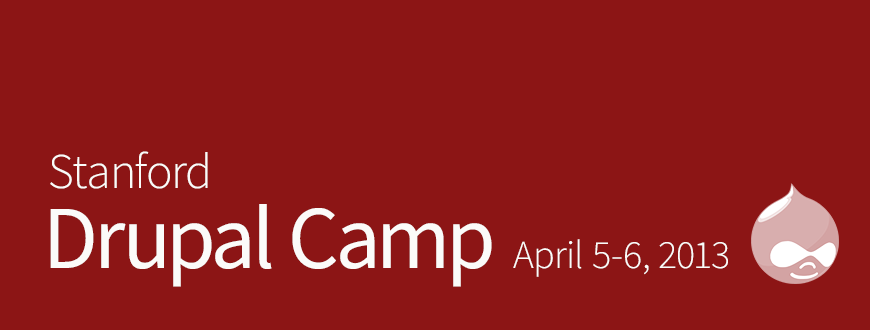
 Registration is now open for the Fourth Annual Stanford Drupal Camp. All sessions will be held April 5th - 6th, 2013 at the Stanford Law School.
https://drupalcamp.stanford.edu/register
Drupal Camp is a great opportunity for the Stanford Drupal community to come together and share new approaches, campus best practices, and love of Drupal.
 Posted by Megan Erin Miller on Friday, February 1, 2013 - 5:36pm
 This is the first post in a multi-post series on styling your Sites site. In this post I'll get you aquainted with the Stanford Basic theme settings and what you can do without adding any additional CSS.

 Posted by Sara Worrell Berg on Monday, January 28, 2013 - 5:11pm
 In my role as manager for Stanford Web Services, I'm often the first on our team to meet with faculty and staff who are interested in building a new website. Our team helps to support the Drupal 7 CMS "Stanford Sites" as a self-service tool, and we also build new websites using Stanford Sites for academic and administrative departments and centers.
Pages
Blog Categories
BLOG SERIES
Click on one of the series below to see all the blog posts in that particular series




